What Guided Signup Does for You
Instead of copying API tokens by hand, you sign in with Facebook, pick your business, and the workspace wires up everything itself: tokens, webhook subscription, number registration and contact sync. The whole flow takes about five minutes. Prefer the in-app walkthrough? It lives in the help center too.
Before You Start
- You need admin access to the company's Facebook Business portfolio.
- Decide which number to connect. A dedicated business number is cleanest; your existing Business-app number works too via Coexistence.
- Keep the phone with WhatsApp installed nearby — you will confirm a pairing step on it.
Step 1 — Choose Your Mode
Open Settings → WhatsApp and pick one of the two cards:
- Cloud API only — Meta hosts the number. Best for a new or dedicated business number. Note: the WhatsApp Business app can no longer use that number afterwards.
- Coexistence (recommended) — keep using the WhatsApp Business app on your phone while the workspace sends and receives on the same number. Existing contacts and the last 6 months of chats are imported.
Coexistence prerequisites.
The number must already be active in the WhatsApp Business app (not the personal WhatsApp app), running a recent version. You will scan a QR code from that phone during signup.
Step 2 — Run the Facebook Flow
- Click the connect button to open Meta's signup popup.
- Log in with Facebook and select your business portfolio.
- Create or select the WhatsApp Business Account (WABA) and the phone number.
- For Coexistence, scan the QR code shown using the WhatsApp Business app on that number's phone.
- Approve the permissions. The popup closes itself and returns you to Settings.
Step 3 — Confirm You're Live
- A green Connected panel appears showing phone number, display name, WABA and quality rating.
- Send yourself a test message from the Chat page.
- Reply from your phone — it should arrive in the workspace inbox within seconds.
If Something Stalls
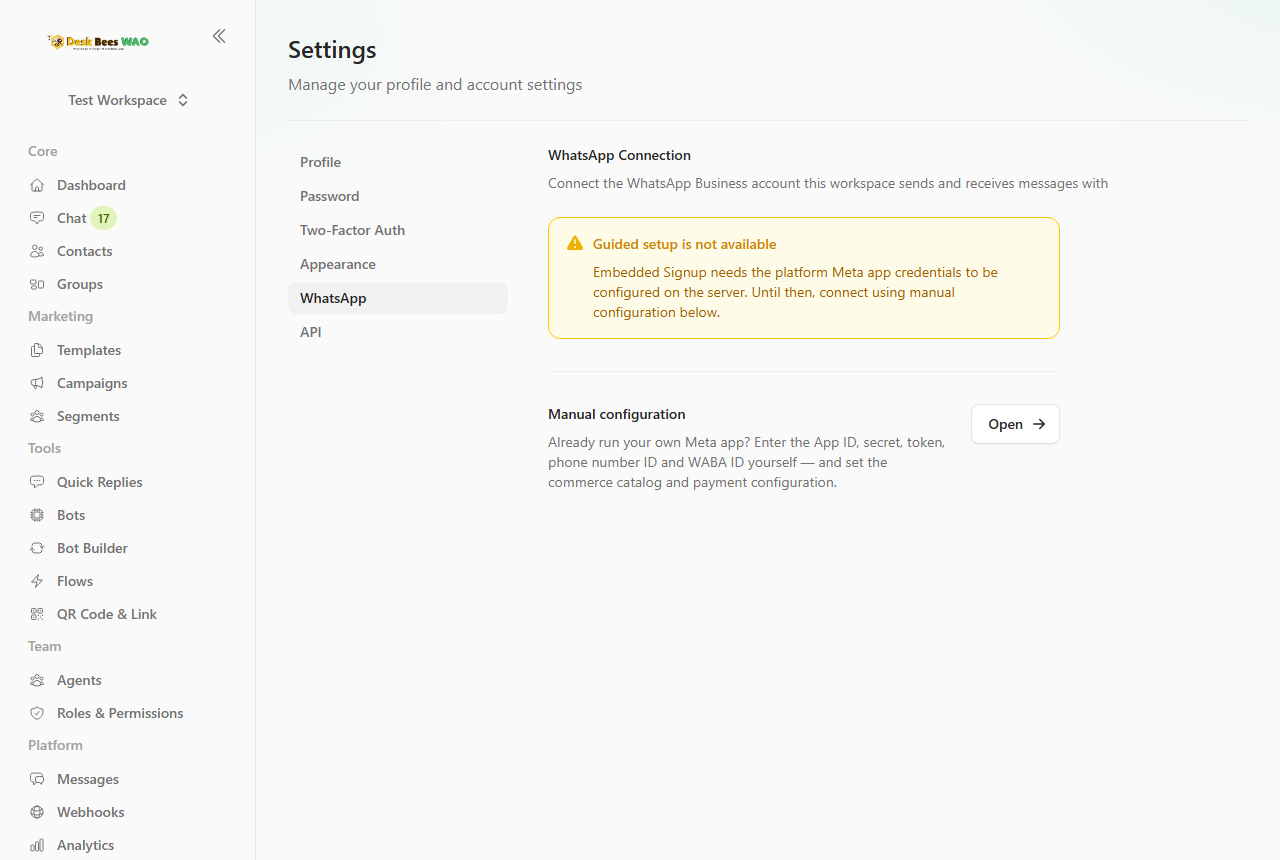
- "Guided setup is not available" — the platform Meta app isn't configured on this server yet. Use the manual configuration page linked right below the notice instead.
- Popup closed with an error — usually a permissions issue: make sure your Facebook user is an admin of the business portfolio, then retry.
- Connected, with warnings — read each warning in the amber box: most commonly the app subscription (incoming messages) or number registration needs a retry from WhatsApp Manager.
- Coexistence history missing — use Re-sync contacts & history on the connection panel; large histories import in the background.
After You're Connected
- Use Refresh any time to pull the latest number name and quality rating.
- Share your QR Code & Link so customers can reach the new number.
- Disconnect stops all sending and receiving — reconnecting later takes the same five minutes.